

Quickstart: Login & User Onboarding
Account integration and user onboarding is the foundation of any application.If you’re here, your primary focus is seamless onboarding, authentication, and session management. With the AIR Kit, you can:
- Enable SSO login for your users
- Provide wallet services similar to a decentralized identity provider
- Establish secure user sessions
- Manage the lifecycle of sessions within your app
- Setting up AIR Kit
- Implementing login flows
- Utilizing embedded wallet features
Step 1: Install the SDK
Step 2: Get Your Partner ID
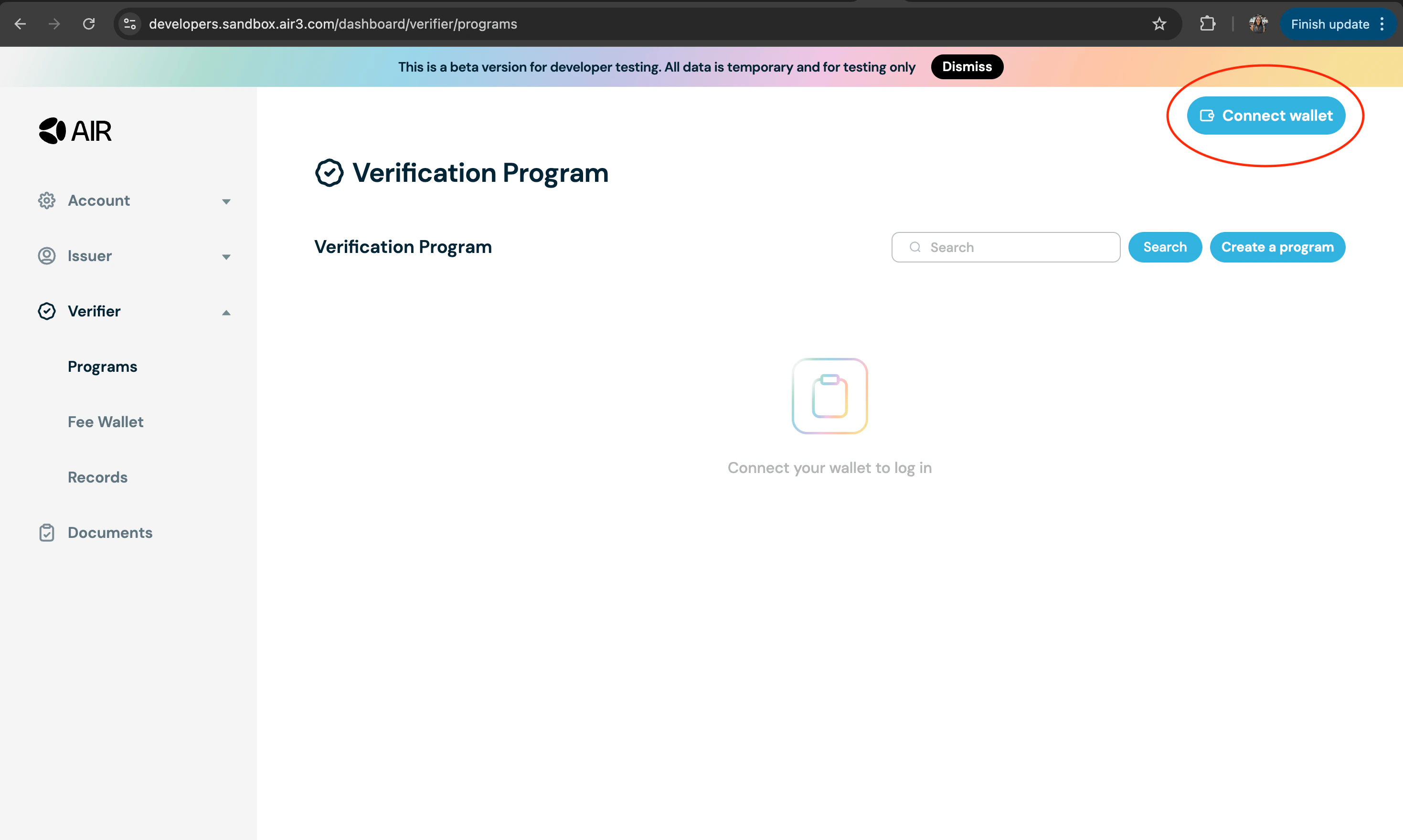
- Go to the Developer Dashboard and login with your EOA wallet.
- Connect your wallet.
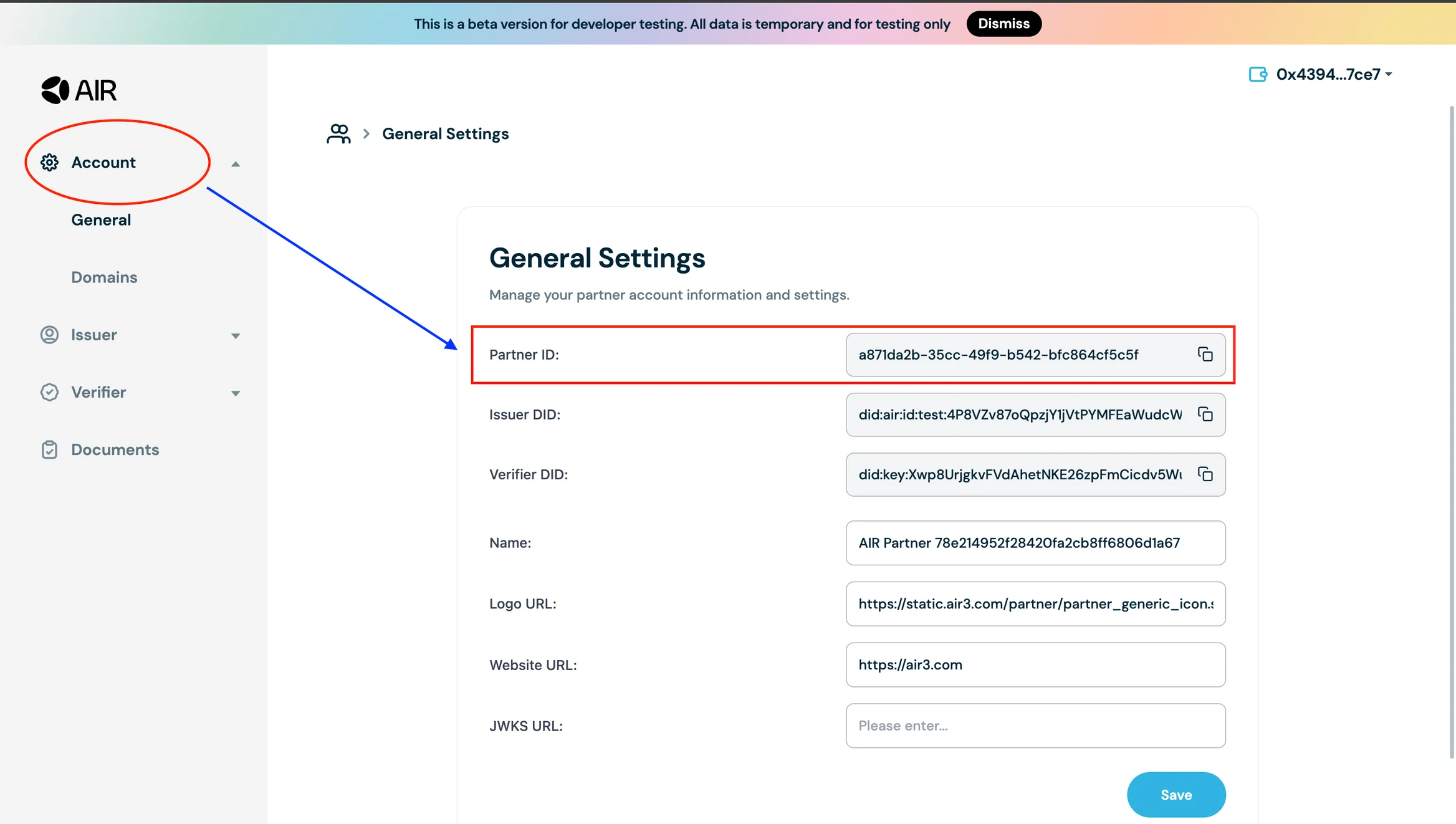
- Navigate to the Account Section on the navigation bar on the left. Then go to the General page. Copy the Partner ID from the partner account information and settings.
- If you’re looking to customise the theme, login flow, or localization, please see the relevant sections for more details.
Step 3: Import, Initialize & Login
File:./useAirKit.ts
- Initialize the
AirServicewithin the Sandbox Environment - Present the SSO Login screen of AIR Kit for users to log in
- Handle authentication and session setup
- Enable Account Services (such as wallet functions), and Credential Services (such as credential verification) for your app after the user is logged in
What You Get After Login
Once login is complete, you’ll have access to:- User UUID
- Session token
- User metadata
Quickstarts 2 and 3 (Issue Credentials, Verify Credentials) require a working public HTTPS JWKS endpoint registered in the Developer Dashboard. Set this up first — see JWKS endpoint setup.